


如果 WordPress 能把一段「要做的事」交給本機 AI 代理去跑,然後把結果回填到前台或後台,會省下多少人工時間?這正是 WordPress OpenClaw 組合最迷人的地方。
這篇用一個可落地的最小外掛(Minimal Viable Example)示範,包含外掛結構、後台設定頁、設定儲存、前台短碼輸出,以及一個可供後台呼叫的 REST endpoint。你會得到一個可擴充的骨架,之後要接內容生成、摘要、客服整理、站內維運自動化,都能在同一套模式上加功能。
先把整合邏輯講清楚:WordPress 只是入口,OpenClaw 才是執行者
OpenClaw 多數情境會跑在本機或同一台伺服器上,WordPress 外掛負責「送出任務」與「接回結果」。因此,你要先決定兩件事:
第一,OpenClaw 的 Gateway API 位置。常見是 127.0.0.1:18789,也有人放在內網主機。第二,任務的 API 端點長什麼樣。不同版本或不同啟用的相容層,端點可能不同,所以本文把它做成可替換參數,避免寫死。
想查你手上的版本支援哪些 HTTP 入口,建議直接對照官方的 OpenClaw HTTP API 參考;如果你打算走「單工具呼叫」來做健康檢查或列出 sessions,可看 工具调用 API 文件。
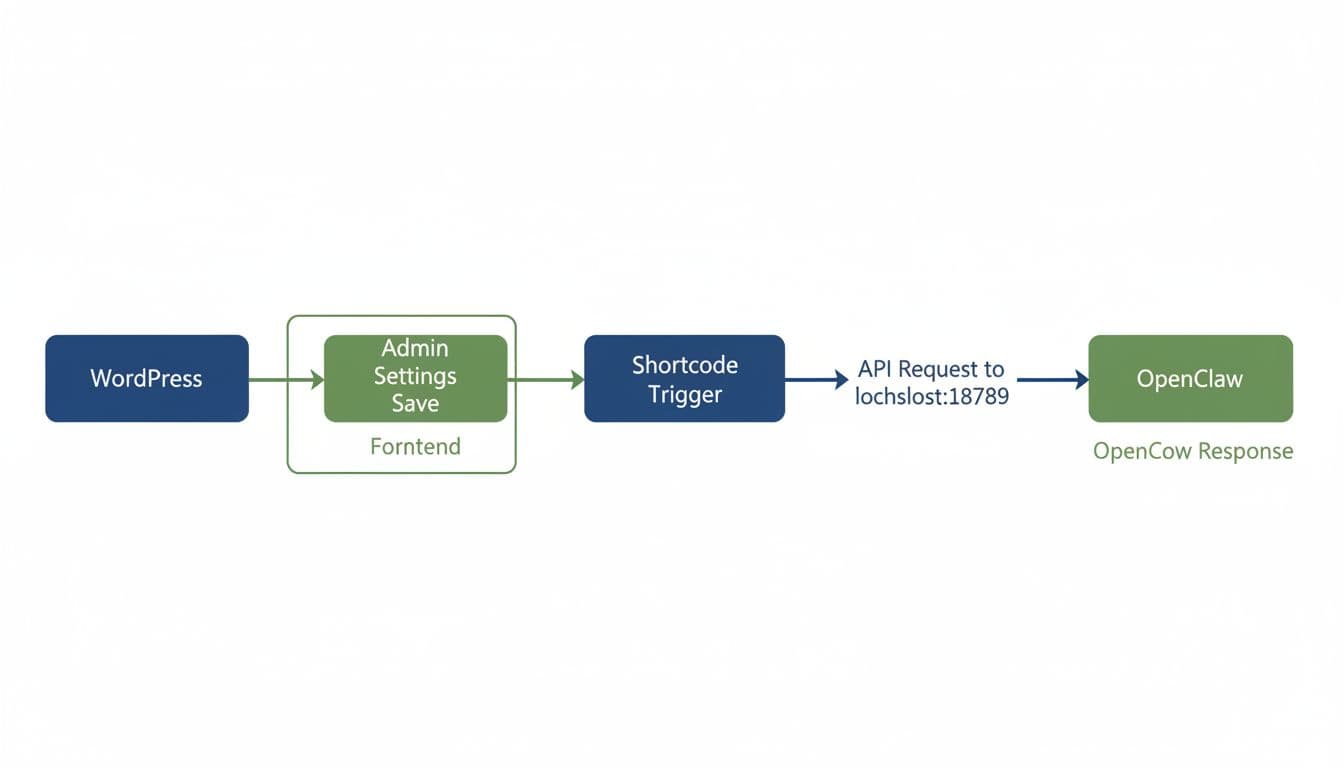
最重要的安全原則也在這裡。別把 Gateway 直接暴露到公網,除非你已經做了反向代理、IP allowlist、強認證與日誌監控。多數網站,把 OpenClaw 放同機或內網最穩。
Minimal Viable Example:外掛結構與後台設定頁(可直接裝)
先做最小結構,只有一支主檔案也能跑,後續再拆檔即可。
外掛結構如下:
wp-content/plugins/wptb-openclaw-mve/wptb-openclaw-mve.php
後台設定要達到三個目的:儲存 API URL、儲存 Token(或 Gateway Bearer token),以及提供「測試連線」按鈕。測試連線用 /tools/invoke 做最保守,因為它偏向管理與診斷,容易判斷成功或失敗。
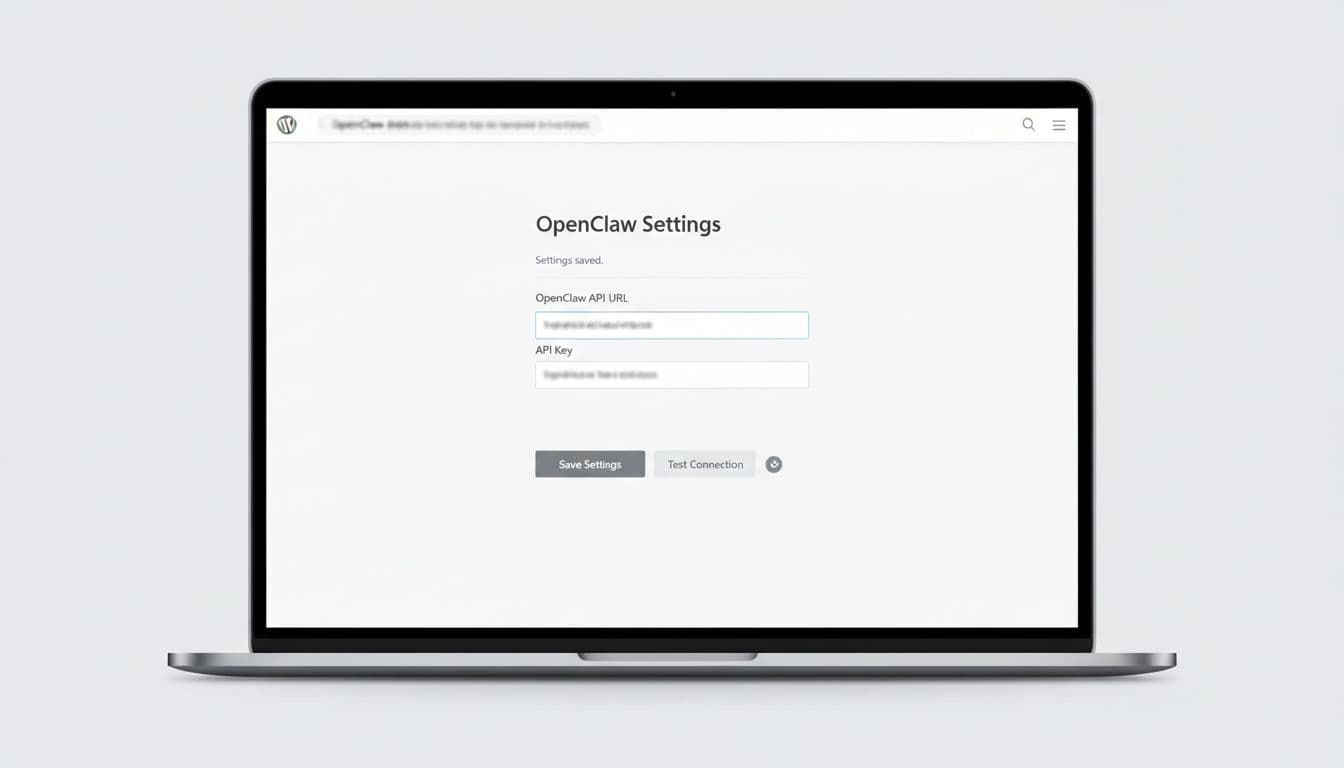
以下是一個可執行的最小外掛,已包含:設定頁、設定儲存、OpenClawClient 封裝、短碼、REST endpoint、以及連線測試(用 admin-ajax)。端點與 payload 都有「可替換」註解,請依你的 OpenClaw 文件調整。
<?php
/**
 * Plugin Name: WPTOOLBEAR OpenClaw MVE
 * Description: Minimal WordPress OpenClaw integration (settings, test, shortcode, REST).
 * Version: 0.1.0
 */


if (!defined('ABSPATH')) exit;


class WPTB_OpenClaw_Client {
  private string $base;
  private string $token;
  private int $timeout;


  function __construct(string $base, string $token, int $timeout = 20) {
    $this->base = rtrim($base, '/');
    $this->token = $token;
    $this->timeout = max(5, $timeout);
  }


  private function headers(): array {
    $h = ['Content-Type' => 'application/json; charset=utf-8'];
    if ($this->token) $h['Authorization'] = 'Bearer ' . $this->token;
    return $h;
  }


  private function post_json(string $path, array $body, int $retries = 1) {
    $url = $this->base . $path;
    $args = [
      'headers' => $this->headers(),
      'timeout' => $this->timeout,
      'body'    => wp_json_encode($body),
    ];


    $attempt = 0;
    do {
      $attempt++;
      $res = wp_remote_post($url, $args);


      if (is_wp_error($res)) {
        if ($attempt <= $retries) { usleep(200000); continue; }
        return $res;
      }


      $code = wp_remote_retrieve_response_code($res);
      $raw  = wp_remote_retrieve_body($res);


      if ($code < 200 || $code >= 300) {
        $msg = 'OpenClaw 回傳 HTTP ' . $code;
        $detail = is_string($raw) ? mb_substr($raw, 0, 300) : '';
        return new WP_Error('openclaw_http_error', $msg, ['detail' => $detail]);
      }


      $json = json_decode($raw, true);
      if (!is_array($json)) {
        return new WP_Error('openclaw_bad_json', 'OpenClaw 回傳非 JSON', ['detail' => mb_substr((string)$raw, 0, 300)]);
      }


      return $json;
    } while ($attempt <= $retries);


    return new WP_Error('openclaw_unknown', 'OpenClaw 請求失敗');
  }


  function test_connection() {
    // 依文件可替換:常見為 /tools/invoke
    $payload = [
      'tool' => 'sessions_list',   // 可替換成你版本支援的工具
      'action' => 'json',
      'args' => (object)[],
      'sessionKey' => 'main',
      'dryRun' => false,
    ];
    return $this->post_json('/tools/invoke', $payload, 1);
  }


  function run_prompt(string $prompt) {
    $prompt = trim($prompt);
    if ($prompt === '' || mb_strlen($prompt) > 2000) {
      return new WP_Error('bad_prompt', 'prompt 不可為空,且需小於 2000 字');
    }


    // 依文件可替換:
    // 1) 某些版本提供 /api/v1/tasks
    // 2) 或啟用 OpenResponses 相容層後,用 /v1/responses(欄位依文件調整)
    $payload = [
      'prompt' => $prompt,
      'model'  => '可替換-依你的模型設定',
    ];


    return $this->post_json('/api/v1/tasks', $payload, 2);
  }
}


class WPTB_OpenClaw_MVE {
  const OPT = 'wptb_openclaw_opts';


  static function opts(): array {
    $d = ['api_base' => 'http://127.0.0.1:18789', 'api_token' => '', 'timeout' => 20];
    $o = get_option(self::OPT, []);
    return array_merge($d, is_array($o) ? $o : []);
  }


  static function client(): WPTB_OpenClaw_Client {
    $o = self::opts();
    return new WPTB_OpenClaw_Client((string)$o['api_base'], (string)$o['api_token'], (int)$o['timeout']);
  }


  static function init() {
    add_action('admin_menu', [__CLASS__, 'menu']);
    add_action('admin_init', [__CLASS__, 'register_settings']);
    add_action('wp_ajax_wptb_openclaw_test', [__CLASS__, 'ajax_test']);


    add_shortcode('openclaw_run', [__CLASS__, 'shortcode']);


    add_action('rest_api_init', function () {
      register_rest_route('wptb-openclaw/v1', '/run', [
        'methods'  => 'POST',
        'permission_callback' => function () { return current_user_can('manage_options'); },
        'callback' => [__CLASS__, 'rest_run'],
      ]);
    });
  }


  static function menu() {
    add_options_page('OpenClaw', 'OpenClaw', 'manage_options', 'wptb-openclaw', [__CLASS__, 'page']);
  }


  static function register_settings() {
    register_setting('wptb_openclaw', self::OPT, function($input){
      $out = [];
      $out['api_base']  = esc_url_raw((string)($input['api_base'] ?? ''));
      $out['api_token'] = sanitize_text_field((string)($input['api_token'] ?? ''));
      $out['timeout']   = (int)($input['timeout'] ?? 20);
      if ($out['timeout'] < 5) $out['timeout'] = 5;
      if ($out['timeout'] > 60) $out['timeout'] = 60;
      return $out;
    });
  }


  static function page() {
    $o = self::opts();
    ?>
    <div class="wrap">
      <h1>OpenClaw 設定</h1>
      <form method="post" action="options.php">
        <?php settings_fields('wptb_openclaw'); ?>
        <table class="form-table" role="presentation">
          <tr><th>API Base URL</th><td><input name="<?php echo esc_attr(self::OPT); ?>[api_base]" value="<?php echo esc_attr($o['api_base']); ?>" class="regular-text"></td></tr>
          <tr><th>API Token</th><td><input name="<?php echo esc_attr(self::OPT); ?>[api_token]" value="<?php echo esc_attr($o['api_token']); ?>" class="regular-text" autocomplete="off"></td></tr>
          <tr><th>Timeout(秒)</th><td><input name="<?php echo esc_attr(self::OPT); ?>[timeout]" value="<?php echo esc_attr($o['timeout']); ?>" type="number" min="5" max="60"></td></tr>
        </table>
        <?php submit_button('儲存設定'); ?>
      </form>


      <p>
        <button class="button" id="wptb-openclaw-test">測試連線</button>
        <span id="wptb-openclaw-test-result" style="margin-left:8px;"></span>
      </p>
    </div>
    <script>
      (function(){
        const btn=document.getElementById('wptb-openclaw-test');
        const out=document.getElementById('wptb-openclaw-test-result');
        if(!btn) return;
        btn.addEventListener('click', async function(){
          out.textContent='測試中...';
          const fd=new FormData();
          fd.append('action','wptb_openclaw_test');
          fd.append('_ajax_nonce','<?php echo wp_create_nonce('wptb_openclaw_test'); ?>');
          const r=await fetch(ajaxurl,{method:'POST',body:fd});
          const j=await r.json();
          out.textContent = j.success ? 'OK' : ('失敗:' + (j.data && j.data.message ? j.data.message : '未知錯誤'));
        });
      })();
    </script>
    <?php
  }


  static function ajax_test() {
    check_ajax_referer('wptb_openclaw_test');
    $res = self::client()->test_connection();
    if (is_wp_error($res)) wp_send_json_error(['message' => $res->get_error_message(), 'data' => $res->get_error_data()]);
    wp_send_json_success(['result' => $res]);
  }


  static function shortcode($atts) {
    $a = shortcode_atts(['prompt' => '請用一句話摘要這個網站的目的'], $atts);
    $res = self::client()->run_prompt((string)$a['prompt']);
    if (is_wp_error($res)) return esc_html('OpenClaw 錯誤:' . $res->get_error_message());


    // 依端點回傳格式可替換:這裡先保守輸出 JSON 摘要
    return '<pre style="white-space:pre-wrap;">' . esc_html(wp_json_encode($res, JSON_UNESCAPED_UNICODE|JSON_PRETTY_PRINT)) . '</pre>';
  }


  static function rest_run(WP_REST_Request $req) {
    $prompt = (string)$req->get_param('prompt');
    $res = self::client()->run_prompt($prompt);
    if (is_wp_error($res)) return new WP_REST_Response(['ok'=>false,'error'=>$res->get_error_message(),'detail'=>$res->get_error_data()], 400);
    return new WP_REST_Response(['ok'=>true,'data'=>$res], 200);
  }
}
WPTB_OpenClaw_MVE::init();
前台與後台怎麼用:短碼輸出,REST 給管理員或自動化用
這個 MVE 的前台入口是短碼。把下面這行放到任一頁面或文章,就能觸發 WordPress 伺服器去呼叫 OpenClaw,然後把結果印在前台:
[openclaw_run prompt="請把這篇文章整理成三點重點"]
同時,你也有一個後台 REST endpoint,適合給自動化或後台工具呼叫:
POST /wp-json/wptb-openclaw/v1/run(需要管理員權限)- Body 帶
prompt
如果你想用 OpenResponses 相容端點,而不是 /api/v1/tasks,可以參考 OpenResponses HTTP API 說明 開啟端點,然後把 run_prompt() 的路徑與 payload 改成你版本文件的格式。至於更完整的整合方式與不同路徑思路,也能對照一份 2026 的實作整理,例如 Connect OpenClaw to WordPress 方法總覽 來比對你要選短碼、Webhook,還是 MCP 路線。
小提醒:短碼是「伺服器端呼叫」,所以不會把 Token 暴露給訪客,這通常比前端直接打 Gateway 安全。
測試方式、可能踩雷點、擴充方向(接案與維運最常用)
測試很單純。先確認 OpenClaw Gateway 正在跑,並且 WordPress 那台機器打得到它。接著到後台設定填好 Base URL 與 Token,按「測試連線」看到 OK。最後把短碼放到頁面,刷新後就會看到 JSON 回傳。
踩雷點也很固定。第一個是主機位置,若你的 WordPress 在共享主機或代管平台,127.0.0.1 指的是「主機本身」,不會是你筆電,所以你要把 OpenClaw 放同機或內網。第二個是 timeout,代理工具可能要跑瀏覽器或 shell,時間會拉長,所以要把 timeout 拉到 20 至 60 秒,並加重試與錯誤訊息。第三個是回傳格式,你用 /tools/invoke、/api/v1/tasks 或 /v1/responses,JSON 欄位都可能不同,務必先把回傳 dump 出來再寫解析。
下一步擴充很有感。你可以把短碼改成「摘要最新文章」、「把表單內容變成客服工單」,或用 WP-Cron 定時丟任務。若要更穩,建議加上佇列(背景處理)與結果快取,並把錯誤記到 log。當網站要長期運作時,監控、更新與安全會比功能更花時間,可以把這類自動化納入維運流程,交給像 WPTOOLBEAR 這種偏維運導向的合作模式,省下反覆救火的成本。
結語
把 WordPress OpenClaw 串起來後,WordPress 就像前台櫃檯,OpenClaw 則是後場執行的人。你先用這個最小外掛跑通「設定,呼叫,回傳,錯誤處理」,之後要加任何應用都不難。接下來你最想自動化的是哪一段流程,是內容整理,客服分類,還是站務巡檢?